
Razer Kiyo Pro Review – See the Difference?
Here’s an overview:
- Introduction to Razer Kiyo Pro
- Key Features of the Razer Kiyo Pro:
- Unboxing and First Impressions
- Key Features and Specifications
- Video Quality and Performance
- Low-Light Performance
- Adjustment and Customization
- Comparison with Other Webcams
- Streaming and Content Creation Experience
- Pros and Cons
- Final Verdict
Introduction to Razer Kiyo Pro
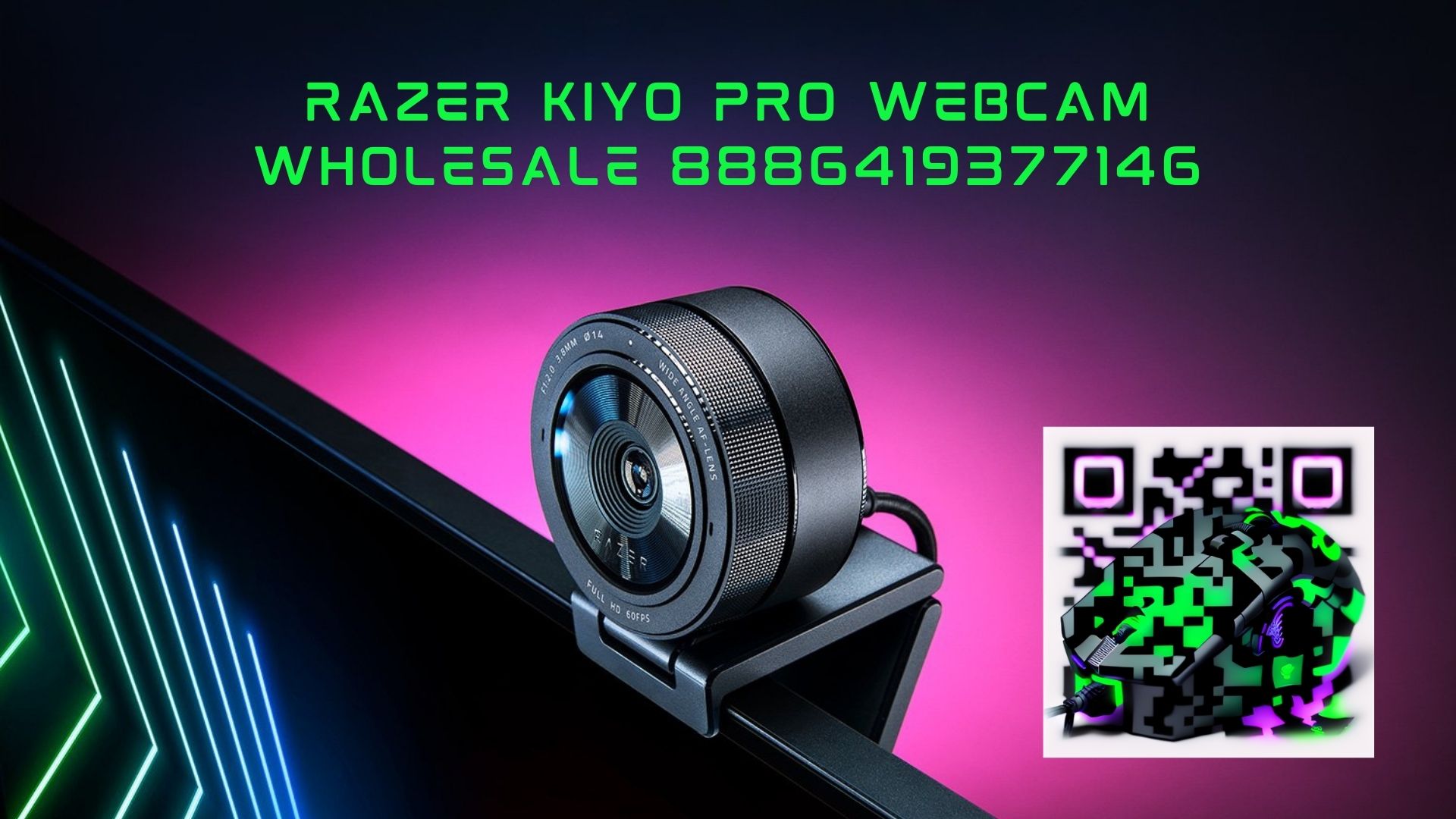
The Razer Kiyo Pro is a high-performance webcam designed for professional-quality video streaming and content creation. Equipped with an advanced 1/2.8″ CMOS sensor, the Kiyo Pro delivers crystal-clear 1080p Full HD video at 60fps, ensuring smooth and detailed video output for your live streams, video conferences, or recordings.
Key Features of the Razer Kiyo Pro:
- Advanced Imaging Technology: The Kiyo Pro’s advanced sensor and HDR support provide vibrant and lifelike visuals, making your content stand out with rich colors and sharp details.
- Light Adaptive Sensor: Featuring an adaptive light sensor, the Kiyo Pro automatically adjusts to lighting conditions, ensuring optimal brightness and clarity in any environment.
- Wide-Angle Lens: With a 103-degree field of view, the Kiyo Pro captures more of your surroundings, making it ideal for group calls, streaming setups, or showcasing your workspace.
- Corning Gorilla Glass 3: The Kiyo Pro’s lens is protected by Corning Gorilla Glass 3, providing scratch resistance and durability for long-lasting performance.
- Flexible Mounting Options: Whether attached to your monitor with the L-shaped stand or mounted on a tripod, the Kiyo Pro offers versatile positioning for the perfect angle.
Overall, the Razer Kiyo Pro is a premium webcam that combines cutting-edge technology with user-friendly features to elevate your streaming and content creation experience.
Unboxing and First Impressions
- The Razer Kiyo Pro comes in a sleek and compact packaging, signaling the premium quality that is to come.
- Upon opening the box, users are greeted with the Razer Kiyo Pro webcam, carefully nestled inside secure packaging to prevent any damage during transit.
- Accompanying the webcam is a versatile monitor mount that allows for easy attachment to various screens, ensuring flexibility in setup options.
- The first impression of the Razer Kiyo Pro is its impressive build quality; the webcam feels sturdy and well-made, reflecting Razer’s commitment to durability.
- The design of the Kiyo Pro is elegant and modern, with its matte black finish and subtle Razer branding, making it a stylish addition to any workspace.
- Setting up the Razer Kiyo Pro is a breeze; users simply need to plug it in via USB and wait for their system to detect the device.
- The image quality of the Kiyo Pro is immediately striking, with vibrant colors and sharp resolution that enhance the overall video conferencing or streaming experience.
- The built-in light sensor feature of the Kiyo Pro automatically adjusts the lighting based on the user’s surroundings, ensuring a professional-looking image without the need for additional lighting equipment.
- In conclusion, the unboxing and first impressions of the Razer Kiyo Pro webcam leave users impressed with its build quality, design, and stunning image quality, setting the stage for a promising review ahead.
Key Features and Specifications
- High-Quality Video: The Razer Kiyo Pro boasts an impressive resolution of 1080p at 60FPS, ensuring crystal-clear video quality for streaming, video calls, and recordings.
- HDR-Enabled Sensor: With a powerful HDR-enabled 2.1-megapixel sensor, this webcam delivers improved image quality with better contrast and colors, perfect for professional use.
- Adaptive Light Sensor: The Kiyo Pro features an adaptive light sensor that adjusts settings based on lighting conditions, ensuring you always look your best on camera.
- Wide-Angle Lens: Enjoy a broader field of view with the wide-angle lens of the Kiyo Pro, capturing more of your surroundings without distortion.
- Plug and Play: Set up the webcam effortlessly with its simple plug-and-play functionality, compatible with Windows, MacOS, and various streaming platforms.
- Corning Gorilla Glass 3: The lens of the Kiyo Pro is protected by Corning Gorilla Glass 3, providing durability and scratch resistance for long-lasting performance.
- Flexible Mounting Options: Whether placed on your monitor, tripod, or desk, the Kiyo Pro offers versatile mounting options to suit your setup preferences.
- Privacy Cover: Ensure your privacy with the built-in privacy cover that slides over the lens when not in use, for added peace of mind.
- Customizable Settings: Adjust the camera settings to your liking with Razer Synapse software, allowing you to personalize your video output according to your preferences.
- Smooth Autofocus: Benefit from smooth and fast autofocus capabilities, keeping you in sharp focus even during movement or changes in distance.
- Uncompressed 1080p Output: The Kiyo Pro delivers uncompressed 1080p video output for pristine quality without compromising on details or sharpness.
Video Quality and Performance
- The Razer Kiyo Pro boasts impressive video quality, delivering clear and sharp visuals thanks to its high-performance lens and advanced image sensor.
- With its adaptive light sensor and HDR support, this webcam ensures that users are always well-lit and that video quality is optimized in various lighting conditions.
- The Kiyo Pro excels in capturing details, making it an ideal choice for content creators, streamers, and professionals who rely on crisp video quality for their work.
- The webcam’s increased field of view provides a broader perspective, enabling users to showcase more of their surroundings or include additional people in their video frames.
- One notable feature of the Razer Kiyo Pro is its ability to stream in 1080p at 60FPS, offering a smooth and high-definition video experience for viewers.
- Users can also benefit from the camera’s customizable settings, allowing them to adjust brightness, contrast, white balance, and more to suit their preferences.
- The Kiyo Pro’s low-light performance is particularly impressive, ensuring that users remain visible and clear even in dimly lit environments.
- Overall, the Razer Kiyo Pro stands out for its exceptional video quality and performance, making it a top choice for those seeking professional-grade visuals in their video calls, streams, and recordings.

Low-Light Performance
- In low-light conditions, the Razer Kiyo Pro truly shines, delivering exceptional image quality without compromising on clarity or color accuracy.
- With its advanced light sensor and HDR capabilities, the camera automatically adjusts to ensure that your video feed remains clear and detailed in dimly lit environments.
- The camera’s Adaptive Light Sensor technology provides a significant boost in image quality by adjusting the exposure settings in real-time, resulting in well-balanced and professional-looking footage.
- The increased pixel size of the Kiyo Pro’s sensor allows for more light to be captured, resulting in brighter and more vibrant images even in challenging lighting situations.
- Thanks to its fast and accurate autofocus system, the camera can maintain sharpness and clarity in low-light conditions, ensuring that you always look your best on camera.
- The Razer Kiyo Pro’s low-light performance is further enhanced by its wide dynamic range, which helps prevent overexposure or underexposure in varying lighting conditions.
- Whether you’re streaming in a dimly lit room or hosting a video conference at night, the Kiyo Pro excels in capturing high-quality video with exceptional clarity and detail, making it a top choice for content creators, streamers, and professionals alike.
Overall, the Razer Kiyo Pro’s low-light performance sets it apart from other webcams on the market, delivering outstanding image quality and versatility in various lighting conditions.
Adjustment and Customization
- Lighting Adjustments: Users can fine-tune the lighting settings on the Razer Kiyo Pro to achieve the perfect illumination for their environment. With the brightness and warmth controls, users can easily adapt to different lighting conditions, ensuring optimal image quality at all times.
- Field of View Customization: The Razer Kiyo Pro offers users the flexibility to adjust the field of view to suit their needs. Whether it’s a broad view for group calls or a close-up for detailed work, users can easily customize the FOV to capture the perfect frame.
- Configurable Image Settings: From exposure levels to contrast and saturation, users can tweak various image settings on the Razer Kiyo Pro according to their preferences. This customization allows users to create personalized visuals that reflect their style or optimize image quality for different scenarios.
- Microphone Settings: The Razer Kiyo Pro includes adjustable microphone settings for users to fine-tune the audio input. Whether it’s adjusting the sensitivity or setting up noise cancellation, users can enhance their audio quality for crystal-clear communication during calls or streams.
- Streaming Software Integration: Users can further customize their experience by integrating the Razer Kiyo Pro with streaming software. This integration enables advanced adjustments, like chroma keying or adding overlays, to enhance the visuals and create a professional streaming setup tailored to individual preferences.
- Profile Presets: The Razer Kiyo Pro allows users to save their preferred settings as profiles for quick access. This feature makes it convenient to switch between different configurations for various uses, whether it’s streaming, video conferencing, or content creation.
By offering extensive adjustment and customization options, the Razer Kiyo Pro empowers users to fine-tune their streaming or video conferencing setup to achieve the best possible results.
Comparison with Other Webcams
- The Razer Kiyo Pro stands out from other webcams in its price range with its impressive 1080p resolution at 60fps, surpassing many competitors that offer lower resolutions or frame rates.
- Unlike traditional webcams that rely solely on USB connections, the Kiyo Pro also features a USB 3.0 connection for faster data transfer, providing a more seamless streaming experience.
- In terms of low-light performance, the Kiyo Pro’s adaptive light sensor sets it apart from other webcams by automatically adjusting lighting conditions to ensure optimal image quality in various environments.
- Many webcams struggle with capturing vivid colors and sharp details, but the Kiyo Pro excels in this aspect, delivering true-to-life colors and crisp images, making it ideal for content creators and streamers.
- Compared to entry-level webcams, the Kiyo Pro offers advanced autofocus capabilities, ensuring that the subject remains in focus even with movement or changes in distance.
- While some webcams require third-party software for customization, the Kiyo Pro offers built-in customization options through Razer Synapse, allowing users to easily adjust settings to suit their preferences.
Overall, the Razer Kiyo Pro stands out as a premium webcam option with cutting-edge features that set it apart from its competitors in terms of resolution, low-light performance, color accuracy, autofocus capabilities, and customization options.
Streaming and Content Creation Experience
- The Razer Kiyo Pro webcam boasts remarkable features tailored for a superior streaming and content creation experience.
- Adaptive Light Sensor: The webcam’s adaptive light sensor ensures optimal lighting in any environment, resulting in clear and well-lit footage.
- Dynamic Range: With HDR capabilities, the Kiyo Pro delivers vibrant and detailed images, enhancing the overall quality of your streams and recordings.
- High Resolution: The 1080p resolution at 60fps ensures crisp and smooth video, ideal for professional-looking content.
- FOV Adjustment: The field of view adjustment feature provides flexibility, allowing users to choose between 103°, 90°, and 80° depending on their preference and setup.
- Enhanced Focus: The Kiyo Pro’s focus capabilities ensure sharp and clear visuals, keeping you in focus even during fast movements.
- Compatibility: This webcam is compatible with popular streaming and recording software, making it a versatile tool for content creators across various platforms.
- Built-in Noise-Canceling Microphone: The integrated microphone effectively reduces background noise, ensuring clear audio for your streams and recordings.
The Razer Kiyo Pro elevates your streaming and content creation with its advanced features and high-quality performance, making it a top choice for professionals and enthusiasts alike.

Pros and Cons
- Pros:
- Superior Image Quality: The Razer Kiyo Pro offers exceptional image quality, especially in low light conditions, thanks to its powerful Adaptive Light Sensor.
- High Resolution: With a max resolution of 1080p at 60fps, users can enjoy sharp and detailed video quality during their streams or video calls.
- HDR Support: The HDR feature enhances colors and contrast, providing a more vibrant and lifelike visual experience.
- Wide FoV: The 103-degree field of view ensures that users can capture more of their surroundings, making it ideal for group calls or showcasing a large workspace.
- Built-in Noise Cancelling Microphone: The integrated mic effectively reduces background noise, ensuring clear audio communication.
- Flexible Mounting Options: The versatile mounting options allow users to easily position the camera on their monitor, tripod, or desk for optimal placement.
- Cons:
- High Price Point: Compared to other webcams on the market, the Razer Kiyo Pro is relatively more expensive, which may be a deterrent for budget-conscious buyers.
- Software Reliance: Some advanced features of the Kiyo Pro, such as adjusting the Field of View or configuring HDR settings, require the use of Razer Synapse software, which might not be suitable for users who prefer plug-and-play devices.
- Limited Compatibility: While the Kiyo Pro is compatible with most streaming and video conferencing apps, some users may encounter compatibility issues with certain software platforms.
Remember to consider these pros and cons when deciding whether the Razer Kiyo Pro is the right webcam for your needs.
Final Verdict
- The Razer Kiyo Pro impresses with its advanced features such as Adaptive Light Sensor and HDR support, ensuring excellent image quality.
- With its versatile mounting options and convenient settings customization through Razer Synapse software, users have great flexibility.
- The improved low-light performance and autofocus capabilities make the Kiyo Pro a solid choice for content creators and streamers.
- While the higher price point may deter some buyers, the overall performance and features justify the investment for those looking for top-notch video quality.
- Razer Kiyo Pro is a premium webcam that delivers exceptional image quality and functionality, making it a worthwhile choice for professional use.